

What corporate ID job postings ask for now, and how the Applied Instructional Design Academy (AIDA) teaches you to work with AI and still own the learning.
It's one of the questions I hear most right now, so we went and looked at real job postings.
28 corporate ID postings pulled October 1, 2026.
Companies still want Storyline and the core instructional design skills, and 10 of these 28 postings asked for AI skills too. The ID who gets hired can do both.
AI is changing how the work gets done. Someone still has to decide what the training needs to do, evaluate whether what AI produced actually teaches, and put their name on the finished course. The instructional designer does that, and companies are hiring for it.
You'd never let Storyline build a course without you. Same with AI.
 Kirah RobinsonHigh School English Teacher → Technical Instructional Developer, GovCIO
No. You don't need any experience with AI coming in. We teach you how to use AI in your work and what employers are looking for, and you learn it and use it throughout the program.
It's a guided path. You learn the ID fundamentals first, so you know what good learning looks like, and then you add AI one level at a time, with a mentor reviewing your work.
Even if you've never worked with AI before, by the end you will have. And because you keep an AI Log as we guide you, you can talk about it in your portfolio and in your interviews.
Some companies are scared of AI. They're worried about their data, and they don't want anyone using a tool they didn't create themselves. Other companies are doing amazing things with it. And there's everything in between.
You don't know which one you'll walk into, so you want to be prepared for all of them: core instructional design skills that work anywhere, plus the AI skills the teams that use it are looking for.
So yes, pay attention to AI, and we'll help you do that. But everyone isn't using it, so you don't have to feel like you're going to get left behind tomorrow.
Your core ID skills work at all three. Your AI skills get you ready for the teams that use it.
Here's where it shows up in the program, from the first module to your portfolio.
You learn the LEAD AI Framework, the way you develop AI fluency as an ID. Then you use it throughout the program and show it with your AI Log and your Working with AI page.
You use a tool like Claude or ChatGPT to create code blocks for your Rise course without writing code yourself, to take your Rise courses to the next level.
You learn the AI resources built right into Articulate Rise and Storyline. AI fixes technical issues, finds content and handles the work that isn't ID, so you can focus on the ID skills you're learning and be more of an ID.
You learn how to storyboard using AI: you give it the context, evaluate what it drafts and make it yours.
You learn how to create a job aid using AI, then check it against what your learner actually needs on the job.
Every time you use AI on your work, you log it. By the end, that log is the proof of how you work with AI.
The LEAD AI Framework™ for instructional designers, from Learning Strategy & Design, is the framework I built for AIDA. It's how a working ID uses AI on any deliverable.
You learn the fundamentals first, then the LEAD AI Framework, then you use AI on real samples and show employers exactly how you work with it.
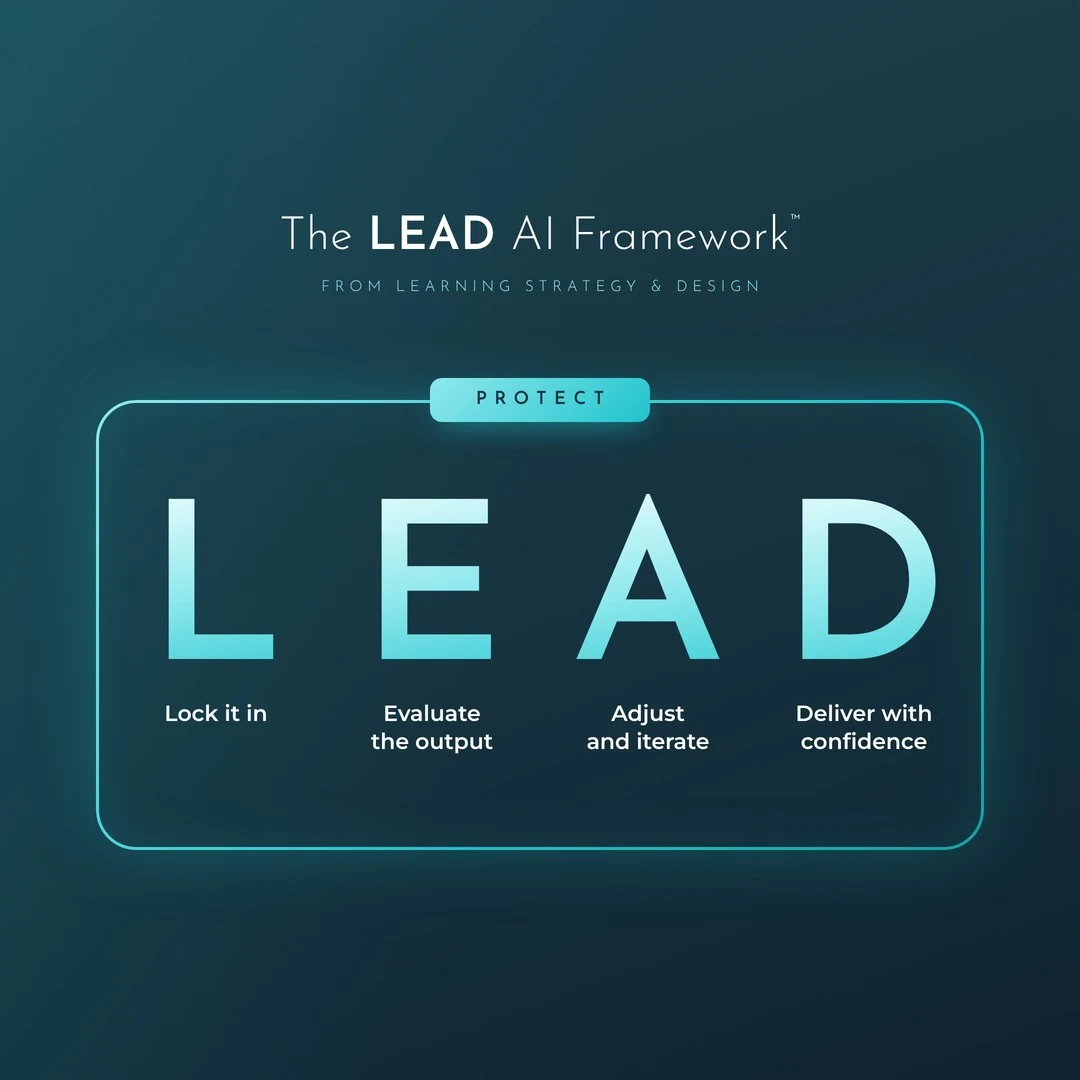
You decide whether AI should touch this piece at all and which tool fits the job. Then you brief it with the context it needs.
You know what good looks like before you ask. Then you read what comes back two ways: is it true, and is it good learning?
You work with the AI to make it better, override it when your expertise says it's wrong, and edit out anything that sounds like AI wrote it.
You own it. Your name goes on it, you can explain every choice you made, and you're open about how you used AI.
Protect wraps around all four: keeping private and company information out of tools where it doesn't belong, and following your employer's rules for AI.
When we dug into what hiring managers mean by AI fluency, they described these four steps: deciding when AI fits and briefing it, checking what comes back, fixing it before anything ships, and explaining how you worked. In a 2026 survey of nearly 2,000 senior hiring leaders in the US and UK, 95% of organizations listed AI fluency as a hiring requirement, and 59% had still made a bad AI hire in the past year (TestGorilla, The State of Hiring for AI Fluency 2026).
When Microsoft asked 20,000 people who use AI at work which human skill matters most as AI takes on more of the work, the top answer was quality control of AI output, at 50% (Microsoft Work Trend Index, May 2026). Tools still matter, and you'll learn them. Judgment is what employers are screening for, and judgment is what AIDA teaches.
 Marion CallahanInstructional Systems Design Manager, CPaT GlobalHas hired five AIDA grads onto her team
"How do you use AI?" comes up in interviews, and your AI Log is how you have a real answer, even if you'd never used AI before AIDA.
Every time you use AI on your AIDA work, or decide to do a step without it, you add an entry to your AI Log in AIDA HQ: what you asked for, how you evaluated it and what you fixed. Your log is private. Mentors see the entries you attach to a submission.
By the time you reach Job Readiness, your log holds the real examples for your Working with AI page. It's a required page in your portfolio, and it answers "How do you use AI?" before a hiring manager asks.
Asked Rise's AI for a draft course on reporting a safety hazard. Evaluated: every step against the source policy, and whether each knowledge check matched the objective. Fixed: two outdated steps and a question that only tested recall.
Asked for JavaScript to carry the learner's name across slides. Evaluated: in preview and in the published course. Fixed: the variable name so it matched my Storyline variable.
Decided not to use AI for the scenario dialogue. Why: the SME's own phrases made it sound like the real job.
AI runs through AIDA the same way it runs through a working ID's week. You work at levels 1 to 3, with a glimpse of level 4, and the LEAD AI Framework runs through every one.
Tap a level to see what it looks like and where you do it in AIDA.
It's broken down one level at a time. The lessons walk you through each step, and there are coaching calls every week when you want help.
Tools change fast, so we teach the thinking first. You still get real reps in:
Inside Articulate 360, the tools job postings name.
For briefing, drafting, research and your code block. The free versions handle the required pieces.
Narration for your Storyline sample, inside Storyline.
The Portfolio Topic Generator, the Content Map Reviewer, and reviewers for your design document, storyboard and job aid.
The AI assistant built into AIDA HQ and Job Search HQ. She helps, and your mentor grades.
A live session where we build with AI together. Bring all your AI questions.
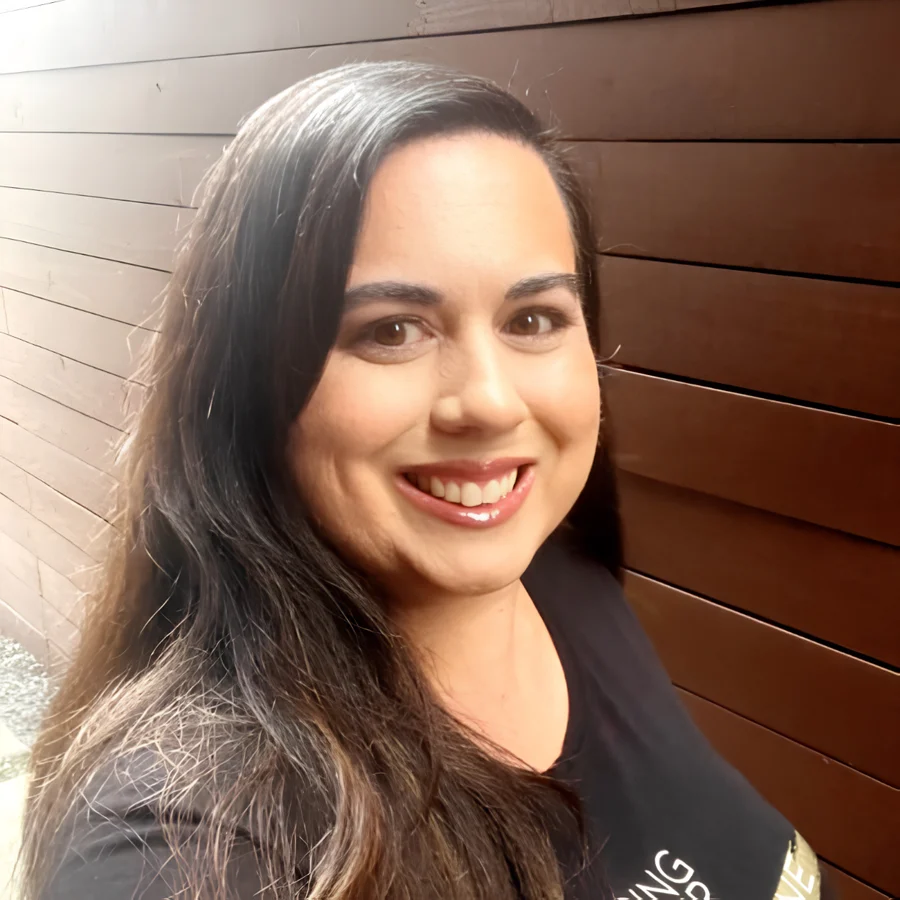
I build with AI myself, from apps to full interactive courses, so what I teach about it comes from doing it. The rule I follow is the one you'll learn: AI can draft, and you own every fix.
Email info@learningstrategyanddesign.com and our team replies within one business day. Refund within 3 days of purchase, minus a $300 processing fee, and you can pause your enrollment for up to 3 months. Read the terms.
Jill Davidian is the founder of Learning Strategy & Design and creator of the Applied ID Portfolio Method. 20+ years in instructional design, including time as a hiring manager. 1,200+ AIDA graduates. More about Jill
Last updated: November 2026
The November cohort's enrollment closes Tuesday, November 17 at 11:59pm CT, and we start Wednesday, November 18. See the price and what's included on the AIDA overview.