FreeThe Corporate ID Portfolio BlueprintFree, every sample a corporate ID portfolio needsGet the free Blueprint →

Anatomy of an instructional design portfolio.

What goes in an instructional design portfolio, part by part, and what a hiring manager scans for in the first five to ten seconds.

That's about how long you get.

Meet Renee Alvarez.

Her portfolio is built the way Applied Instructional Design Academy (AIDA) grads build theirs, with the same Portfolio Site Generator.

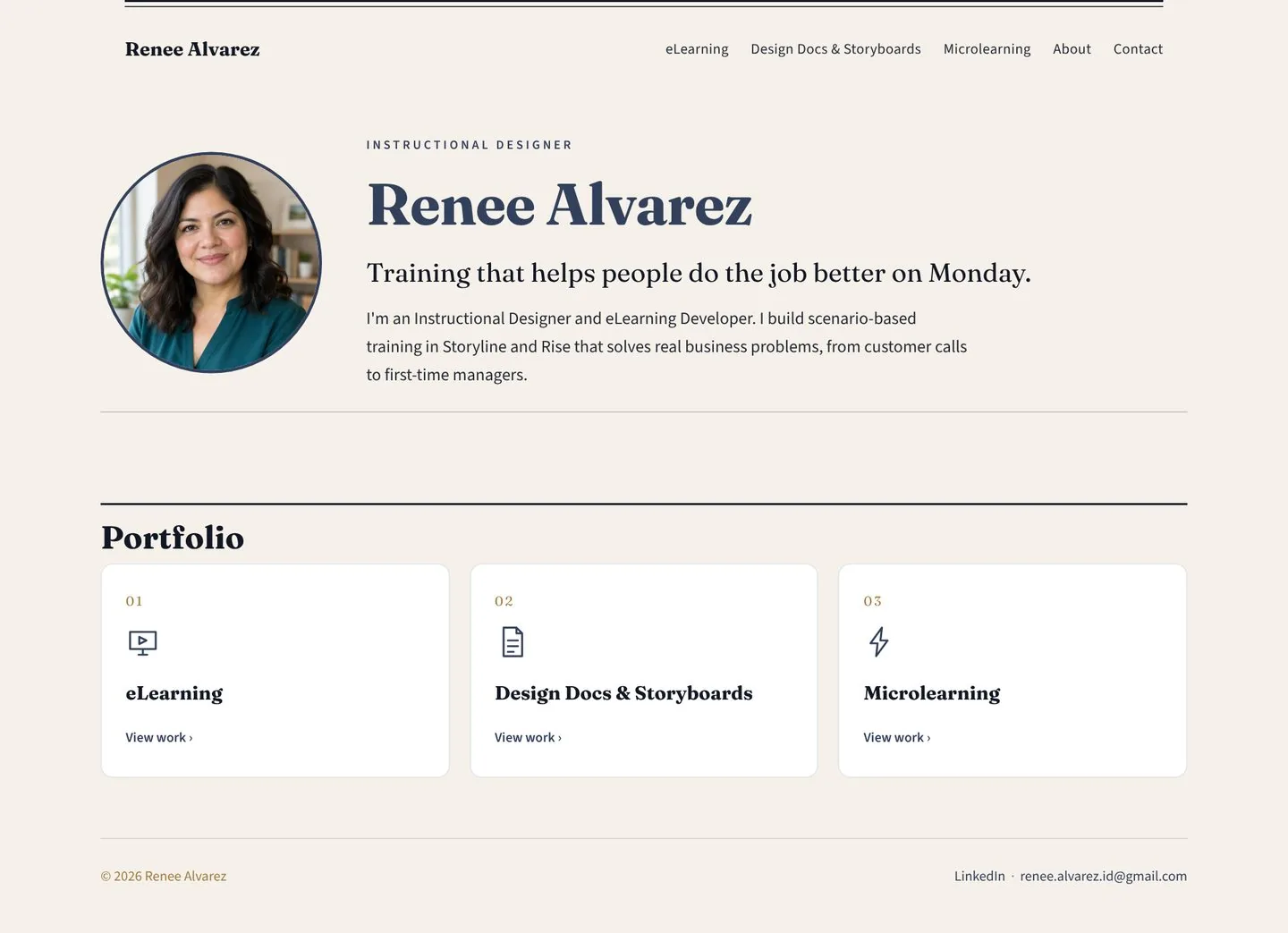
The home page.

The store window. Its one job is to get them to click into a sample.

Tap a number to see why it matters.

Renee Alvarez's portfolio home page
  1. Clean, with room to breathePlenty of white space, sections that line up, and nothing crammed together. A messy page feels like a messy storefront, and people walk right past it.
  2. Easy to find everythingEvery sample is one or two clicks from the home page, and it's always clear where to click next. Nobody should have to hunt.
  3. Every page, one click awayThe menu reaches every page from the home page, so nobody has to hunt. And it's spelled eLearning the same way everywhere, including the menu.
  4. Says what she isInstructional Designer, right above her name, with no "aspiring" and no old job title. She introduces herself as the job she wants, because every sample on the site proves it.
  5. A real faceA professional photo puts a person behind the site. It's recommended, and a clean landscape or geometric image works too.
  6. Short on purposeOne line of value and two sentences of intro. The long story lives on the About page. A wall of text here is one of the fastest ways to lose the 10-second window.
  7. A card for every sectionOne card or thumbnail per portfolio page, with its title, and the whole thing is the link. It opens in the same tab, so nobody ends up lost in a pile of tabs.

The eLearning write-up.

The page they land on when they click into her eLearning. It's short enough to read in under a minute, and every line answers a question a hiring manager has.

Tap a number to see why it matters.

Storyline

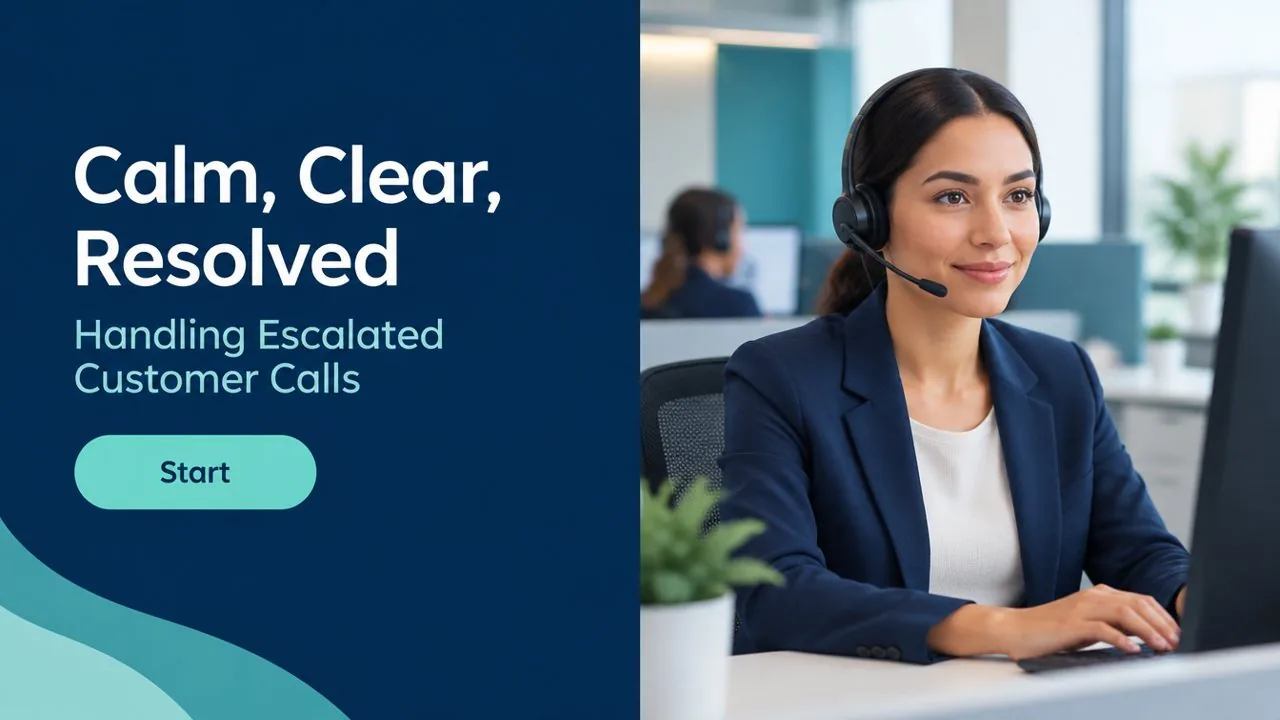
Title slide of Calm, Clear, Resolved: Handling Escalated Customer Calls
eLearning (Storyline)

Calm, Clear, Resolved: Handling Escalated Customer Calls

  • Audience. First-year customer service reps at a regional bank's contact center.
  • Problem. Escalated calls were going to supervisors at twice the target rate, driving up wait times.
  • Current State. Reps stick to the script, get defensive with upset callers, and transfer the call.
  • Future State. Reps calm the caller, ask the right questions, and resolve the call or set a clear next step.
  • Highlights. Branching call scenarios with realistic consequences. Practice with feedback on every choice before the final test. A desk job aid to use after the course.
  • Tools. Articulate Storyline, Vyond, Canva
  • AI Use. I used ChatGPT to draft caller dialogue, then rewrote and evaluated every line.
  • Level 2 Evaluation. A final branching call, scored against a rubric.
  • Level 3 Evaluation. Supervisors track transfer rates for 60 days after training.
View CourseDesign DocumentStoryboardJob Aid
  1. Short and scannableOne sentence per line, in the same order on every sample. A hiring manager can read the whole write-up in under a minute and compare samples at a glance.
  2. The picture opens the courseClick the thumbnail or the title and the course itself opens in a new tab. And the title slide has one way forward, a single Start button, with the player's Next and Back buttons turned off.
  3. Corporate, not classroomFirst-year reps at a bank's contact center. A workplace audience tells a hiring manager you're applying for the right job. A classroom topic says "wrong job" before they read another word.
  4. The problem, before and afterWhat's going wrong at work, with a number if you have one. Then what people do now, and what they'll do differently after the training. One sentence each. This is what makes training worth paying for.
  5. How it helps adults learnTwo to five highlights of the design: realistic practice, feedback on every choice, a job aid for afterward.
  6. Tools, namedEvery tool she used, so a hiring manager can match it to the job post at a glance.
  7. Honest about AIWhich tool, what she used it for, and that she evaluated the output. If you didn't use AI on a sample, say that.
  8. Did it work?Level 2 shows how learners prove the skill. Level 3 shows how the company checks behavior on the job. That's how a business decides training was worth it.
  9. Every piece, one clickThe course, design document, storyboard and job aid sit together, and each button opens the real thing in a new tab.

Her Working with AI page.

Employers are asking candidates how they use AI. This page lets a hiring manager read her answer before the interview.

Tap a number to see why it matters.

Working with AI

How I work with AI

I follow the LEAD AI Framework from Learning Strategy & Design. Here's what that looks like in my work.

Lock it in

Before I open an AI tool, I decide whether the task needs one. Drafting practice dialogue or first-pass quiz questions is a good fit. Figuring out the business problem stays with me, the SMEs and the data. When I do use AI, I give it the audience, the learning objectives and the source content before I ask for anything.

Evaluate the output

I evaluate every output against the learning objectives and the source content. A line that's inaccurate, off target for the audience or generic doesn't make it into the course.

Adjust and iterate

When the output is off, I say what's wrong and why, and ask again. If it's faster to fix it myself, I do, and I tell the tool what I changed so the next round starts closer.

Deliver with confidence

Anything with my name on it is mine. I can explain every choice in a course, and I'm open with my team about where AI helped.

Protect

I keep confidential and proprietary company information out of public AI tools. I follow my employer's AI rules, and when there aren't any, I ask before I start.

AI tools I've used

  • ChatGPT
  • Claude
  • Rise AI
  • Articulate AI Assistant

My workflow on a real project

Calm, Clear, Resolved: Handling Escalated Customer Calls (Storyline)

  1. I built the content map and learning objectives myself from SME interviews. No AI on this step.
  2. I used ChatGPT to draft caller dialogue for the branching scenarios, with the objectives and the bank's call guidelines as context.
  3. I rewrote every line to sound like real reps and callers, and evaluated each branch against the objectives.
  4. I used Articulate's AI Assistant to troubleshoot a trigger that wouldn't fire on a branching slide.
  5. An SME reviewed the final scenarios for accuracy before I published.

Where AI gets it wrong

  • ChatGPT had one upset caller offered a fee refund the bank doesn't give. I caught it when I evaluated the branch against the SME's call notes and rewrote it.
  • A first-pass quiz question had two right answers. I caught it on my QA pass and rewrote the distractors.

  1. Her words, start to finishComplete sentences in her own voice under every heading, and true to how she works. The questions behind each heading stay off the page.
  2. Names the framework she followsOne opening line says she works with AI using the LEAD AI Framework from Learning Strategy & Design.
  3. Decides first, then gives contextShe says which tasks get AI and which stay with her, and what she hands the tool before it starts.
  4. Knows what good looks likeShe evaluates every output against the objectives and the source content before it goes anywhere.
  5. Protects company informationConfidential information stays out of public AI tools, and she follows her employer's rules for AI.
  6. Tools, names onlyA plain list of the AI tools she's used. It matches the AI tools line on her resume.
  7. One real sample, step by stepHer Storyline course, showing where AI came in, where she chose to work without it, and how she evaluated the output.
  8. Specific about where AI went wrongTwo real misses, how she caught each one and what she fixed. This section is optional.

The rest of her site.

The same idea on every page: clear labels, short descriptions, one click to the real thing.

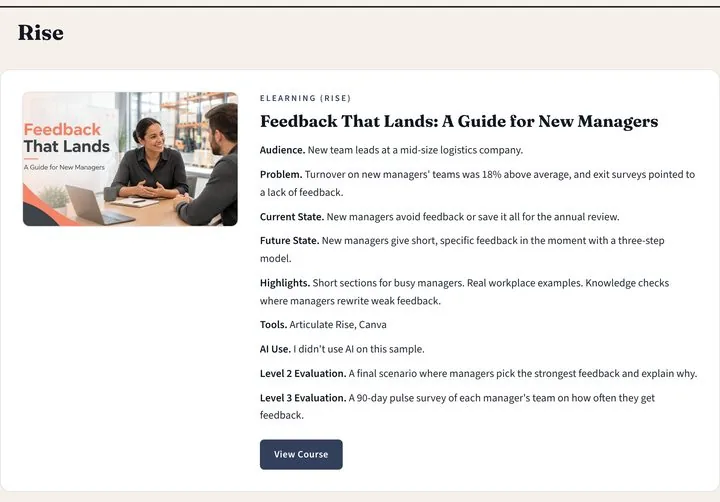
Renee's Rise course on her eLearning page

eLearning: her Rise course

Her second course, with the same short write-up.

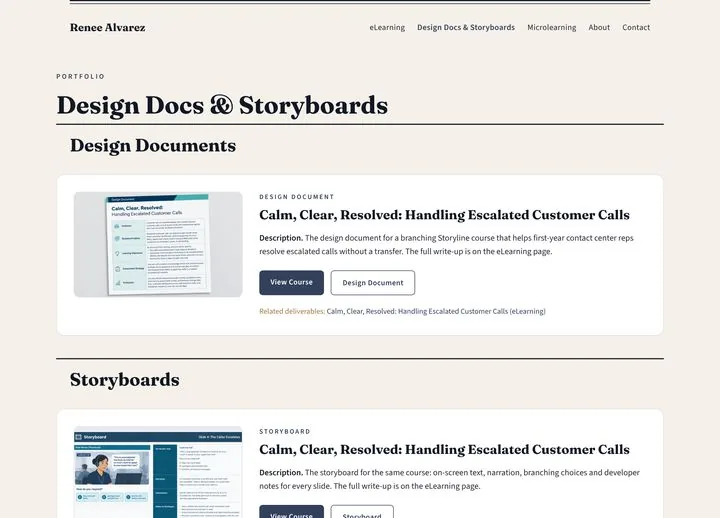
Renee's Design Docs and Storyboards page

Design Docs & Storyboards

The planning behind the course, each with a one-line description.

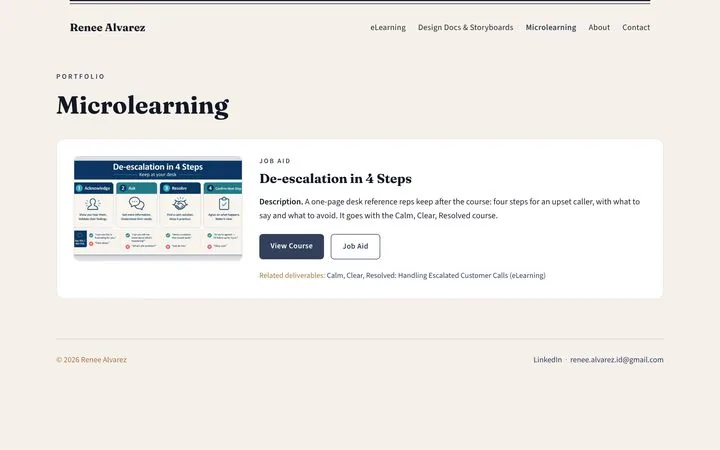
Renee's Microlearning page

Microlearning

Her job aid, linked back to the course it supports.

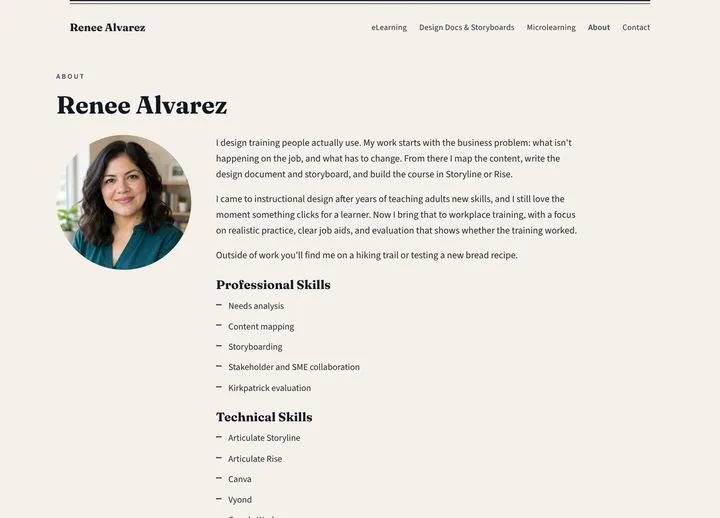
Renee's About page

About

Leads as an ID. Three short paragraphs, her skills and her AIDC badge.

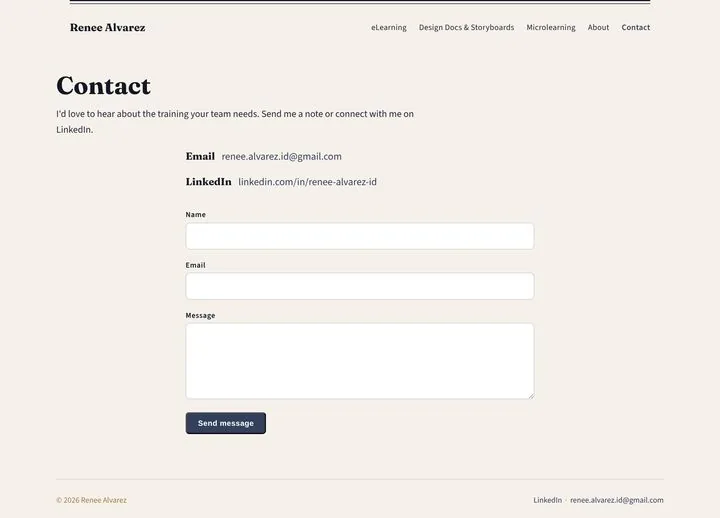
Renee's Contact page

Contact

A friendly invite, a professional email and LinkedIn. No phone number.

Can you find the core five?

Most corporate hiring managers expect at least these five. Tap one to see where it lives on Renee's site.

More in the series.

The whole search, from portfolio to offer, is on how to get an instructional design job. Stuck on what to build first? The Sample Topic Generator gives you corporate topics in two minutes.

Want yours to look like this?

Every AIDA grad builds a portfolio like Renee's, with real reviews on every sample until it's ready to send.

Already have a portfolio? Get it reviewed

Jumpstart Your Instructional Design Career

A weekly podcast and a Substack on moving into instructional design, from me.